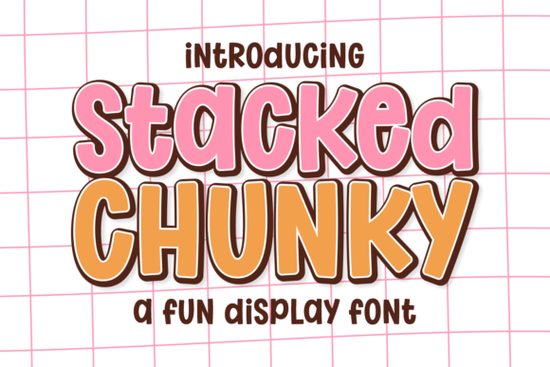
If you’ve been scrolling through display fonts looking for something that feels both bold and playful, you might want to take a closer look at Stacked Chunky Font. It’s the kind of typeface that doesn’t whisper it bounces in with rounded edges and a heavy weight that somehow still feels inviting. Whether you’re designing birthday invites, YouTube thumbnails, or digital planner stickers, this font brings energy without sacrificing readability.
What makes it especially useful is how well it pairs visual impact with approachability. The thick letterforms hold their own on screen or in print, but the softened corners keep things from feeling too harsh. That balance is why so many designers working on kid-focused projects think toy packaging, camp flyers, or classroom decor find themselves coming back to it again and again.
Where does Stacked Chunky Font work best?
This isn’t a font you’d use for body text in a novel. But for headlines, logos, or any spot where you need to grab attention fast? Perfect. Here are some real-world uses we’ve seen (and loved):
- Kids’ product branding – Think juice boxes, sticker packs, or educational games. The candy-store vibe fits right in.
- Social media graphics – Especially for summer camps, party planners, or YouTubers who want their thumbnails to pop.
- Digital planner elements – Add white borders or offset shadows to make your stickers feel tactile and fun.
- Casual gaming interfaces – Great for menus, level titles, or character names in lighthearted mobile or indie games.
You can also layer it with simple shapes or hand-drawn accents think stars, clouds, or confetti to lean into that maximalist trend without overwhelming your layout.
How does it compare to other playful display fonts?
If you like Stay Funky, you’ll appreciate how Stacked Chunky shares that upbeat personality but trades retro flair for a more modern, chunky silhouette. For those who’ve used Wildflower School, this one offers less script-like flow and more blocky presence, which can be better for quick readability at small sizes.
It’s also worth checking out Bubble Skelly if you’re drawn to exaggerated roundness, though Stacked Chunky keeps its proportions more grounded. And if you’ve ever tried Cowboy Block for rugged charm, think of this as its cheerful cousin same boldness, zero grit.
Can I customize it beyond color?
Absolutely. While the font looks great straight out of the box, here are a few tweaks that can stretch its versatility:
- Add an outline or drop shadow – A thin white border gives it that sticker effect everyone’s using right now.
- Layer with textures – Try overlaying a subtle paper grain or glitter texture for physical craft projects.
- Mix weights or styles – If the pack includes lighter variants or italics, use them for subheadings to create hierarchy.
- Pair with minimalist sans-serifs – Let Stacked Chunky headline while a clean font like Montserrat handles the details.
One pro tip: avoid stretching or condensing the letters manually. The design relies on its natural proportions to keep that bouncy-but-legible feel. If you need a narrower version, check if the font family includes a condensed variant or consider pairing it with something like Stacked Chunky’s sibling styles if available.
Is it beginner-friendly for non-designers?
Yes. Even if you’re just starting out with Canva, Silhouette Studio, or Cricut Design Space, this font installs and behaves like any standard OTF or TTF file. No special software needed. The characters are well-spaced by default, so you won’t have to fiddle with kerning unless you’re going for a very specific look.
Small business owners and Etsy sellers often use it for product labels or promotional banners because it photographs well even under less-than-perfect lighting. And since it holds up at both large and medium sizes, you don’t need to stress over pixelation when scaling for social posts or printed flyers.
For reference, you can see more examples and licensing details directly on Creative Fabrica: Stacked Chunky Font.
Quick checklist before you start using it:
- ✅ Test readability at your intended size especially for smaller applications like stickers or tags.
- ✅ Pair with a simple secondary font to avoid visual overload.
- ✅ Use bright, saturated colors to match its energetic personality.
- ✅ Add subtle effects (like outlines or shadows) only if they enhance not distract.
- ✅ Check your license terms if you’re using it for client work or POD platforms.
Start with one project a birthday invite, a sale banner, or a set of planner headers and see how naturally it slots into your workflow. Sometimes the best tools aren’t the most complex they’re the ones that make your message feel alive without asking you to overthink it.
Explore Design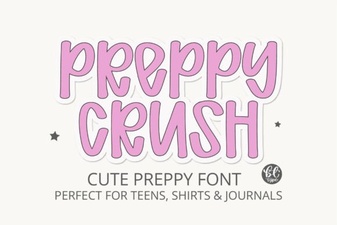 Preppycrush Font: Style & Download Guide
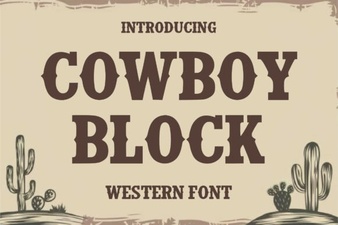 Cowboy Block Fonts for Creative Design Projects
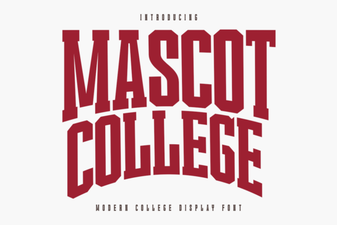 The Mascot College Font: Design & Project Guide
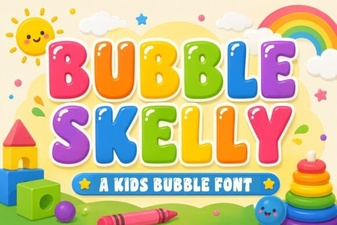 Bubble Skelly Font for Creative Typography Projects
 Modern Vintage Fonts: Design with Timeless Style
 Kidpop Fonts for Creative Projects & Designs