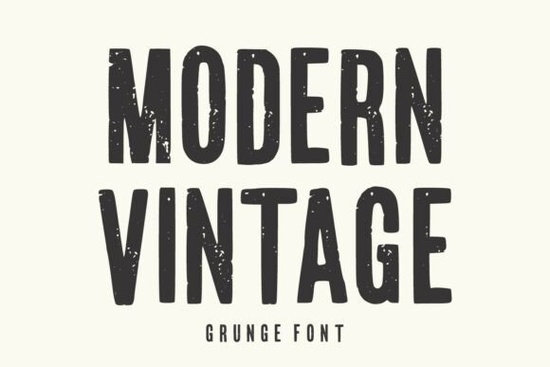
If you’ve been searching for a typeface that feels both nostalgic and bold, the Modern Vintage Font might be exactly what your next project needs. It’s not trying to be sleek or minimalist instead, it leans into texture, character, and that hand-worn charm that makes designs feel authentic. Whether you’re designing a retro poster, custom t-shirt, or packaging for a small-batch product, this font brings grit without sacrificing readability.
What kind of projects does this font work best for?
This isn’t a font for body text or corporate reports. It’s built to stand out tall, condensed, and layered with subtle distressing that mimics real ink and wear. That makes it ideal for:
- Branding and logos especially if you’re going for a craft brewery, coffee roaster, or indie band vibe.
- T-shirt and apparel design the texture holds up well on fabric prints and adds personality.
- Posters and flyers think music gigs, garage sales, or vintage-themed events.
- Social media graphics headlines that need to grab attention in feeds full of clean sans-serifs.
- Packaging and labels handmade goods, candles, hot sauce, or anything that benefits from a “crafted by hand” feel.
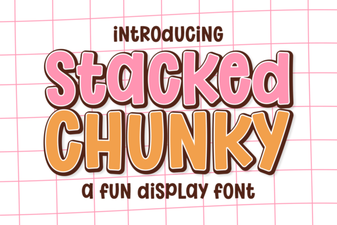
It’s also surprisingly flexible. Pair it with something clean like Glossy Bubble for contrast, or go full grunge with Stacked Chunky for layered impact.
How does the distressed texture affect readability?
Some grunge fonts get so caught up in looking “vintage” that they become hard to read especially at smaller sizes. The Modern Vintage Font avoids that trap. The distressing is applied thoughtfully: enough to add character, but not so much that letters lose their shape. You can still use it confidently in display sizes (think 36pt and up) without worrying about your message getting lost.
That said, it’s not meant for paragraphs. Use it for headlines, taglines, or short bursts of text where you want to create mood and energy. If you need something playful but legible for longer copy, consider pairing it with Preppycrush a softer companion that balances the roughness.
Is this font beginner-friendly for non-designers?
Absolutely. Even if you’re using Canva, Photoshop Elements, or Silhouette Studio, installing and using this font is straightforward. Most design platforms let you upload custom fonts with just a few clicks. Once installed, you’ll find it behaves like any other no weird spacing issues or compatibility hiccups.
One tip: play with layer effects. Because of its texture, adding a slight drop shadow or inner glow can make it pop even more on busy backgrounds. And if you’re printing, test a sample first some printers smooth out fine distressing details. A quick proof run saves headaches later.
How does it compare to other vintage-style fonts?
There are plenty of “vintage” fonts out there, but many lean either too clean (losing the grit) or too chaotic (losing legibility). This one strikes a middle ground. For example, if you’ve used Super Bubble before, you know it’s fun and rounded great for kids’ products or candy branding. Modern Vintage, by contrast, is more grounded, more urban, more “found in a dusty record shop.”
You can see how it stacks up visually by checking out Modern Vintage Font directly on Creative Fabrica. The preview tool lets you type your own words and toggle different weights or styles if available.
Any tips for making the most of this font?
Here’s what works well in practice:
- Use sparingly. One strong headline beats three competing ones.
- Pair with neutral backgrounds. Let the texture shine avoid busy patterns underneath.
- Try uppercase only. The tall, condensed caps look especially striking.
- Add manual kerning. Tighten letter spacing slightly for a more cohesive, bold look.
- Export as vector when possible. Preserves those fine distressing details for scaling.
And don’t be afraid to mix eras. A modern sans-serif subheading beneath a Modern Vintage title creates tension that feels intentional not mismatched.
Ready to try it? Here’s your next step:
Download the font and test it with your current project. Type out your headline or logo text. Then ask yourself: Does it feel authentic? Does it match the mood you’re going for? If yes you’ve found your typeface. If not, explore similar styles like other vintage-inspired fonts in the same category. Sometimes the right font isn’t the first one you try but when you find it, you’ll know.
Try It Free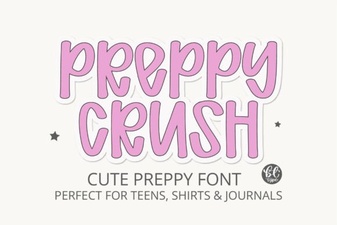 Preppycrush Font: Style & Download Guide
 Cowboy Block Fonts for Creative Design Projects
 Chunky Fonts: Bold Design for Strong Visual Impact
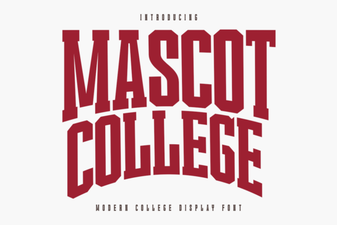 The Mascot College Font: Design & Project Guide
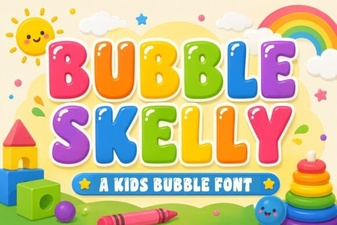 Bubble Skelly Font for Creative Typography Projects
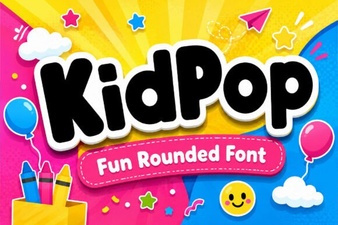 Kidpop Fonts for Creative Projects & Designs