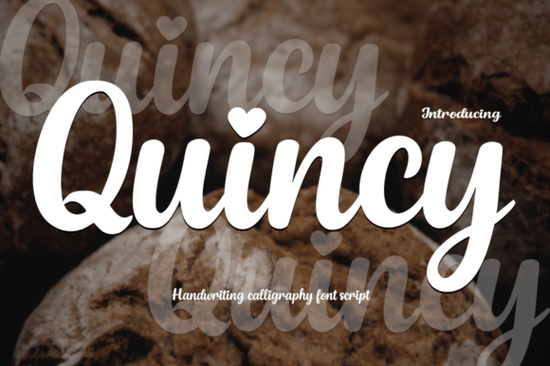
If you’ve been searching for a script font that feels personal but still polished, Quincy Font might be exactly what your next project needs. It’s a modern calligraphy style with soft curves and a natural handwritten rhythm not too stiff, not too messy. What makes it special? Tiny heart-shaped dots over the “i” and “j.” It’s those little details that give your designs warmth, whether you’re working on wedding stationery, quote graphics, or boutique branding.
You also get Playtoon as a bonus a chunky, cheerful cartoon font that pairs surprisingly well with Quincy. Think of it as the fun sibling: bold letters, exaggerated shapes, and tons of personality. Great for kids’ books, playful logos, or social media posts that need to grab attention without feeling corporate.
What kinds of projects work best with Quincy?
This font shines when you want to add a gentle, human touch. Here’s where it fits naturally:
- Wedding invites and save-the-dates The elegant flow feels romantic without being overly formal.
- Small business branding Perfect for boutiques, bakeries, florists, or handmade goods shops that want to feel approachable.
- Social media quotes Especially motivational or heartfelt messages. That heart dot? It adds charm in just the right places.
- Print-on-demand products Mugs, tote bags, journals anything where a personal signature-style look sells better than a generic font.
If you like how Quincy feels but want to explore similar styles, take a look at Enchanting Script or Autography. They each have their own rhythm and flair, but share that same balance of elegance and ease.
How does Playtoon complement Quincy?
Playtoon isn’t just thrown in as filler. It’s designed to contrast and enhance. Use Quincy for body text or softer headlines, then switch to Playtoon when you need something loud, fun, or kid-friendly. For example:
- A children’s birthday invitation with Quincy for the parent’s message and Playtoon for the party headline.
- A bakery logo using Quincy for the shop name and Playtoon for taglines like “Sweet Treats Inside!”
- Educational printables where Playtoon grabs attention on activity titles, and Quincy keeps instructions feeling warm and clear.
It’s rare to find two fonts in one pack that actually work together across different moods. Most bonus fonts feel tacked on. This one doesn’t.
Is Quincy easy to use for beginners?
Yes. You don’t need advanced design skills. Like any OpenType font, it installs like any other drag into your fonts folder or upload through Canva, Silhouette, or Cricut software. No complicated ligatures or alternates to toggle unless you want to. The default characters already look great.
That said, if you dig into the OpenType features (in programs like Illustrator or InDesign), you’ll find stylistic alternates that let you tweak certain letters for extra uniqueness. Not required, but nice to have if you’re doing detailed branding work.
If you’re comparing script fonts and wondering about weight or thickness, Quincy sits in that sweet spot not too thin to vanish on small prints, not so heavy it loses its grace. For something bolder in the script category, check out this thicker option.
What file formats come with the download?
You’ll get both Quincy and Playtoon in TTF and OTF formats. That covers just about every platform Windows, Mac, mobile apps, cutting machines, and online editors. No SVG or web font versions included, but for most crafters and small biz owners, TTF/OTF is all you’ll need.
License-wise, it’s commercial-use friendly. Print unlimited physical products, sell digital templates, use in client work all covered. Always double-check the license PDF after download, but Creative Fabrica’s standard license is generous for indie creators.
Any tips for pairing Quincy with other fonts?
Avoid pairing it with other scripts. Too much flourish can feel cluttered. Instead, try clean sans-serifs think Montserrat, Poppins, or even basic Helvetica. Let Quincy be the star, and keep supporting text simple.
If you’re building a brand kit and want more script variety, Stylish Script offers a slightly more structured alternative that still keeps things friendly.
Quick checklist before you start designing:
- Install both fonts Don’t forget Playtoon! It’s easy to overlook the bonus, but it’s useful.
- Test print sizes Quincy’s fine details (like those heart dots) can disappear below 10pt. Scale up for readability.
- Use sparingly in logos It’s beautiful, but intricate scripts don’t always scale well for favicons or tiny app icons.
- Pair with simple backgrounds Busy patterns compete with Quincy’s flow. Solid colors or subtle textures work best.
Whether you’re making something heartfelt or just having fun, this duo gives you range without complexity. And if you haven’t browsed Creative Fabrica’s script section lately, now’s a good time there’s a lot worth exploring beyond Playtoon and Quincy.
Try It Free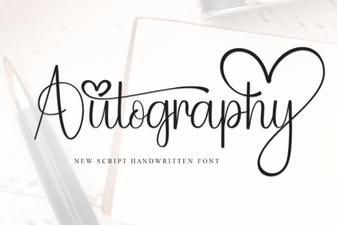 Autography: the Designer’s Signature Font
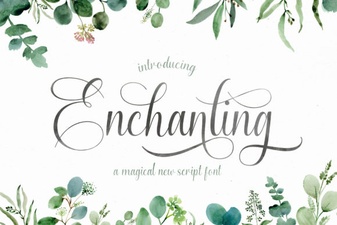 Script Fonts to Elevate Your Creative Projects
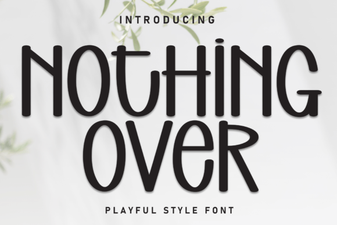 Creative Font Pairing Ideas for Your Design Projects
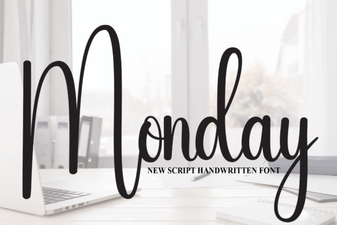 Free Monday Font: Improve Your Project Design
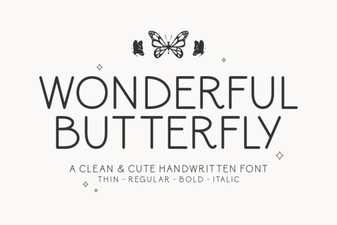 Beautiful Butterfly Fonts for Creative Projects
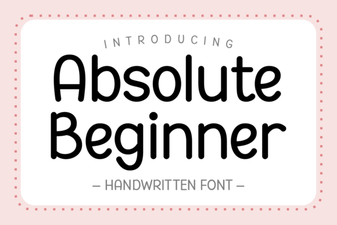 Fonts for Your First Creative Projects